Transform staff productivity with Claude - We can guide your internal team or implement it quickly for you.
Claude AI Overview: Desktop, Code & Cowork | Total Group International
Download Claude Desktop for Windows, Mac & Linux. Enterprise AI assistant with MCP integration, local LLM support, and guaranteed data privacy. Your data never used for training.
Enterprise-Grade AI That Keeps Your Data Secure
Transform how your team works with Claude Desktop - the intelligent AI assistant designed for businesses that take data privacy seriously. Available for Windows, Mac, and Linux, Claude Desktop brings cutting-edge AI capabilities directly to your team while keeping your sensitive business data exactly where it belongs: under your control.
Why Claude Desktop is Different
Your Data Stays Private - Guaranteed!
Unlike many AI solutions, Claude Desktop does not use your conversations to train AI models. Your proprietary business information, client data, and strategic discussions remain completely confidential. With options for local memory storage and on-premise RAG (Retrieval-Augmented Generation), you can leverage AI power while maintaining complete data sovereignty.
Key Privacy Features:
Zero-retention chat history options available
Local memory and RAG capabilities for on-premise deployments
Enterprise-grade security with no data used for model training
Full compliance with GDPR, SOC 2, and industry data protection standards
Cross-Platform Compatibility
Whether your team works on Windows, Mac, or Linux, Claude Desktop integrates seamlessly into your existing infrastructure. The Claude Desktop app provides consistent AI assistance across all major operating systems, making it perfect for diverse IT environments.
Three Powerful Tools in the Claude Ecosystem
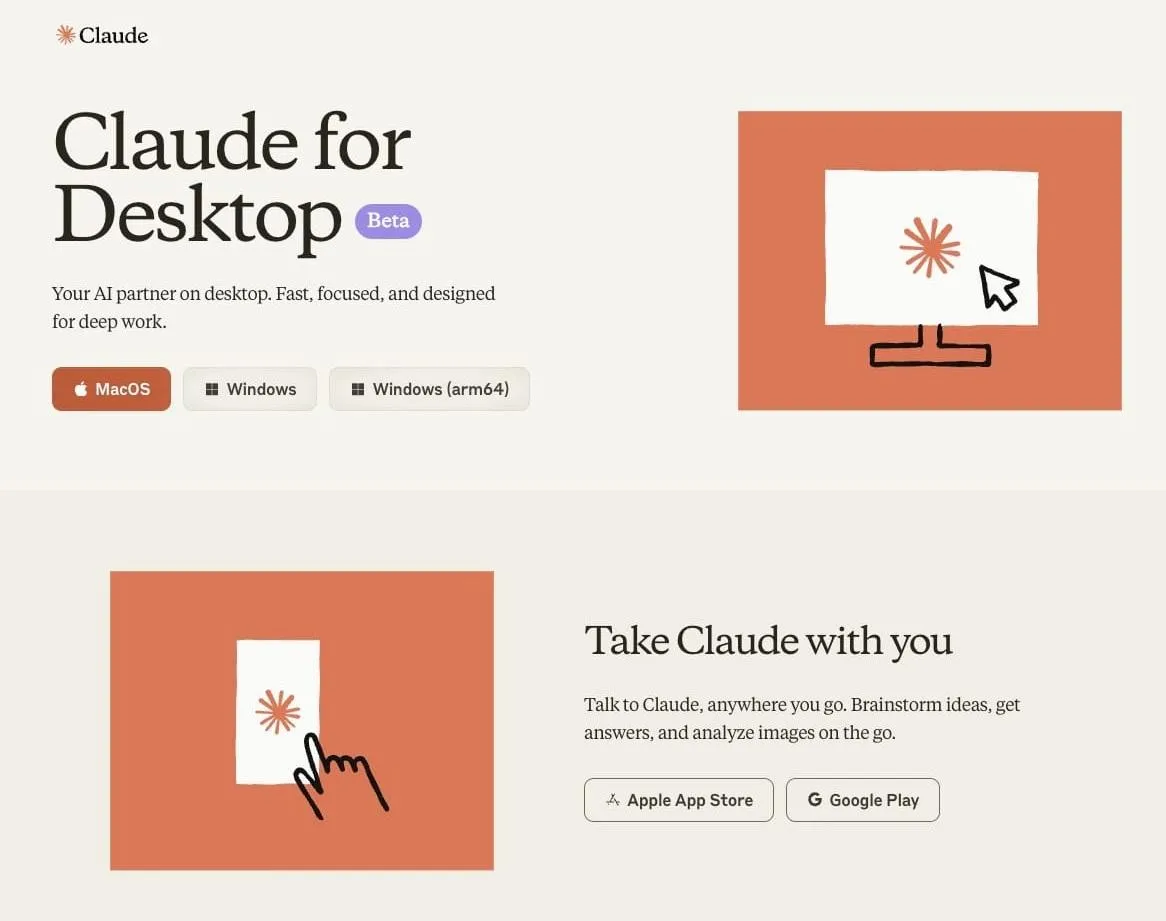
Claude Desktop - Your AI Research & Writing Partner
The Claude Desktop app is your team's intelligent assistant for research, analysis, writing, and problem-solving. With advanced reasoning capabilities and the ability to handle complex, multi-step tasks, Claude Desktop becomes an indispensable member of your team.
Perfect for: Document analysis, research synthesis, content creation, strategic planning, technical documentation, customer communication drafting, and data interpretation.
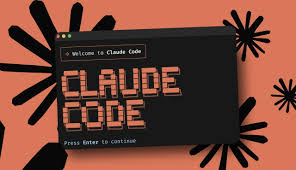
Claude Code - AI-Powered Development Assistant
Claude Code brings AI directly into your development workflow through the command line. Developers can delegate coding tasks, debug complex issues, and accelerate development cycles without leaving their terminal. Claude Code integrates seamlessly with your existing development tools and respects your codebase privacy.
Perfect for: Code review, debugging, documentation generation, refactoring, test writing, and rapid prototyping.
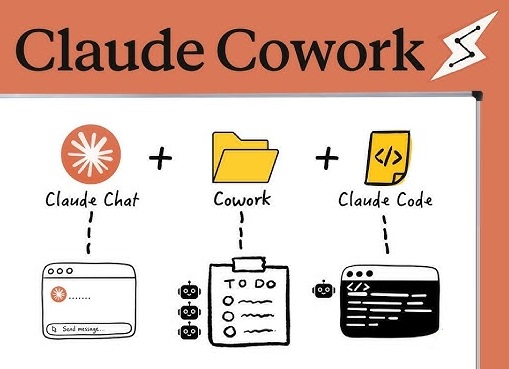
Claude Cowork - Automated File & Task Management
Now available for both Mac and Windows, Claude Cowork is your desktop automation solution for non-developers. Automate repetitive file management tasks, organize documents intelligently, and streamline workflows without writing a single line of code. Claude Cowork watches your specified folders and applies intelligent automation rules based on your business logic.
Perfect for: Document classification, file organization, data extraction from documents, automated reporting, and workflow orchestration.
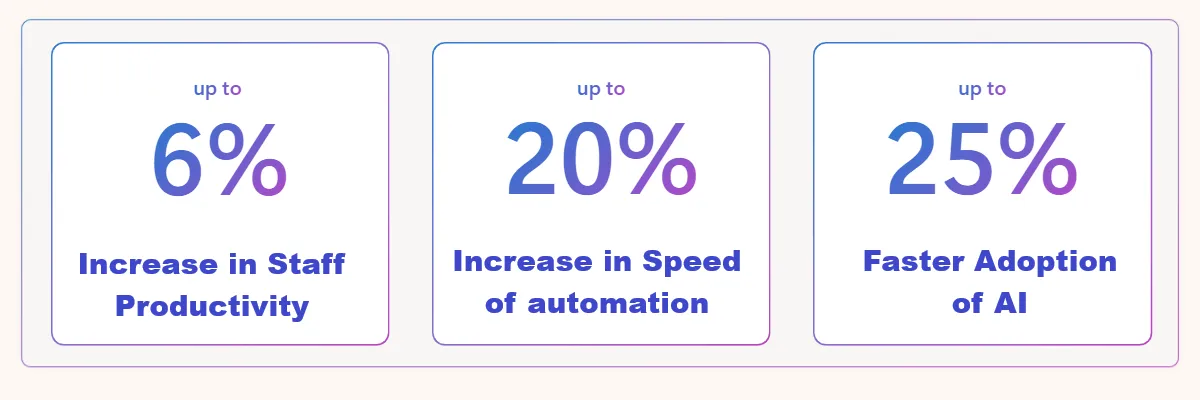
Business impact of using Claude
Model Context Protocol (MCP) - Extend Claude's Capabilities
Claude Desktop supports the Model Context Protocol, enabling powerful integrations with your existing business tools. Connect Claude to your databases, CRM systems, project management tools, and custom applications through MCP servers. This means Claude can access the context it needs while you maintain complete control over data access and permissions.
MCP enables:
Direct database queries and analysis
Integration with business systems (Salesforce, HubSpot, M365)
Custom tool creation for your specific workflows
Secure, controlled access to enterprise data sources
Zero data breaches in organizations using Claude Desktop with proper MCP deployment
100% data retention control - your conversations never used for training
94% of IT leaders prefer on-premise AI for business data tasks.
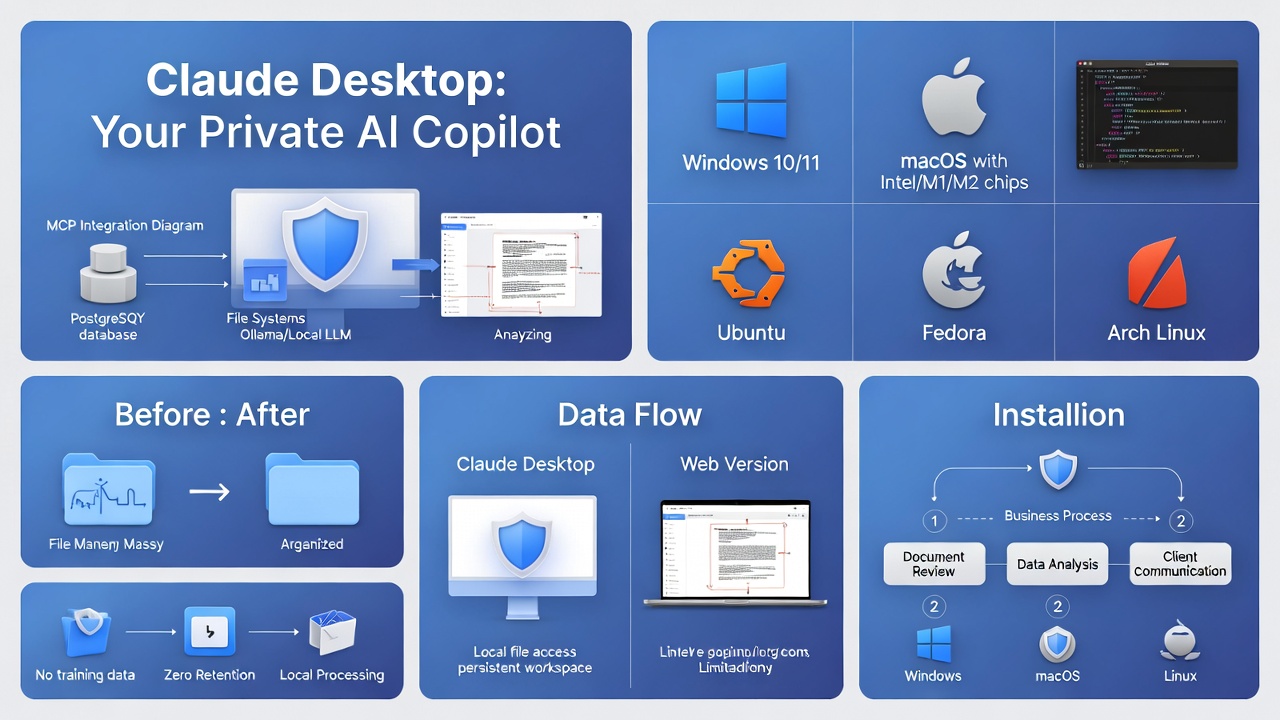
Getting Started with Claude Desktop
Download Claude Desktop
Ready to transform how your team works? Download Claude Desktop for your platform:
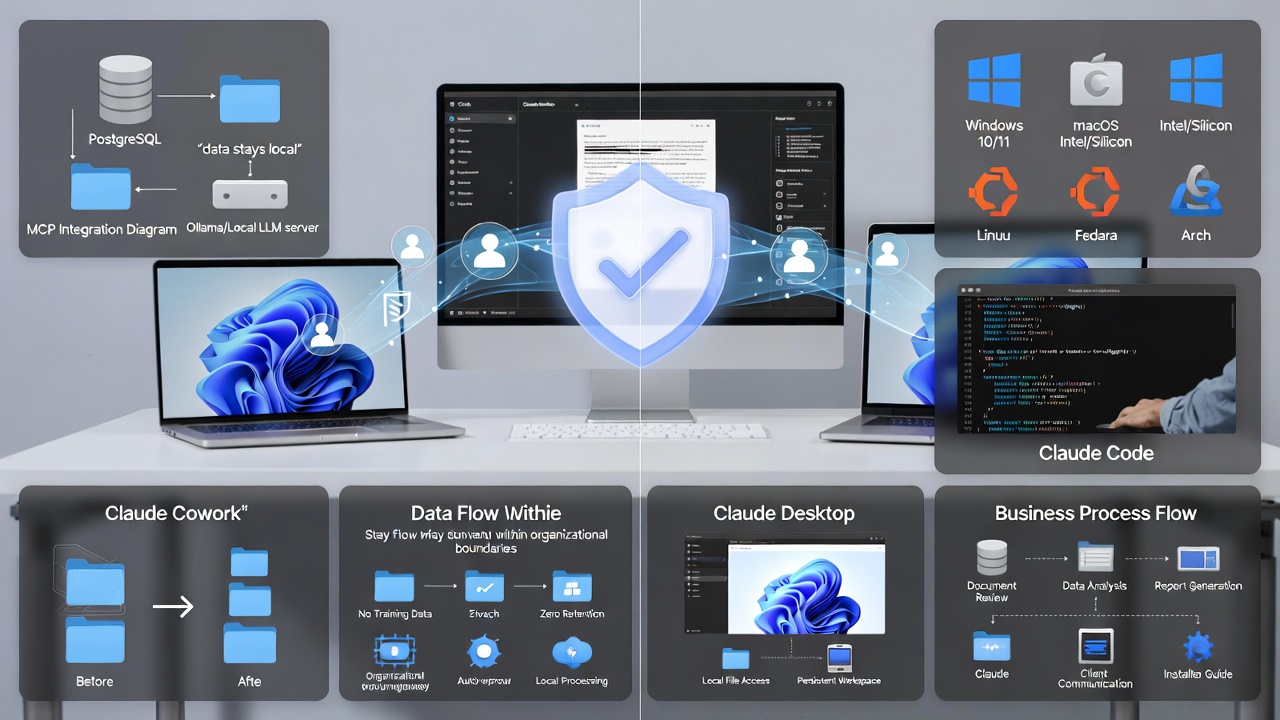
Windows - Full support for Windows 10 and 11
Mac - Native Apple Silicon and Intel support
Linux - Available for major distributions (Ubuntu, Debian, Fedora, Arch).
Choose Your Deployment Model
Cloud-Connected (Standard) Best for most businesses. Your data remains private (never used for training), with the convenience of cloud-based AI models. Conversations can be set to zero-retention mode for maximum privacy.
Hybrid with Local MCP Ideal for organizations with strict data governance requirements. Use local LLM models through Ollama or similar platforms for sensitive operations, while leveraging Claude's advanced capabilities for general tasks.
On-Premise For maximum control, deploy Claude with on-premise RAG and local memory storage. Contact us to discuss custom private deployments tailored to your security requirements.
Claude Implementation
Claude - Cloud Connected
£400.00
£10.00
One Off Setup per 10 users
user/month
Ai Readiness: A complete environment vulnerability and penetration test as a service to ensure your network is AI ready and we continue to monitor risk so you can use Claude with confidence.
Claude Desktop Deployment: Prerequsites deployed. Claude expertly and securely installed and configured up to 5 end user integrations to get them started.
AI Support Suite: Secure password and information depository. Store Access tokens and keys securely. Allow central use One time Passwords with full audit inventory. Allowing simplified admin with access control. Your AI access assets safe.
Up and Running: Everything your staff need to get them started and using Claude
Perfect for all staff: Don't get left behind try it and become a an instant convert.
Claude Hybrid - Local MCP
£4200.00
£125.00
One Off Supply and Install
device / month
AI Hybird. Everything in the Claud Connected plan with a preconfigured AI capable PC running a full Docker MCP Stack
Data Privacy. Localised Memory for unlimited chat and context history that remains local and private.
Additional 5 Integrations API, MCP or Tools per user.
AI Device Security Suite. 24/7/365 NOC - SIEM and SOC to monitor device EDR and DNS. Enterprise Security Monitoring.
Great AI for your team now we block the rest. End Point DNS and IP filtering. Firewall and UTM Support to enable AI filters. Data Loss Prevention services to reduce staff risks in accessing other public AI.
Perfect for: AI leads - Keyworkers - Small Teams.
Claude On-Premise (SME)
£6750.00
£185.00
One Off Supply and Install
device/month
AI On Premise. Everything in the Local MCP plan with a full Docker Stack including on premise N8N, Ollama, Open Web UI, Watchtower, Qdrant, Postgres SQL (RAG and Graph)
AI Guardrails. Isolated file, email and comms setup for AI Co-worker agents and bots. Don't bring the AI to your data bring the data to your AI.
N8N Kickstart . 4 Expert Templates that work out the box so you can start to build workflows (agents) with ease. Interact with agents by Chat, Email, Speech, WhatsApp, Teams, Gmail, Slack, telegram, Siri, Alexa
Agent Teams. Set you up so you can vibe code new workflows with ease create your own focussed experts that drive business objectives quickly.
Enterprise Hardware: By Quotation
FAQs
Can Claude Desktop access local files?
Yes! Claude Desktop can access local files on your computer when you grant permission. This is particularly powerful for document analysis, data processing, and working with proprietary information that never needs to leave your network. With local file access, you can analyze reports, process spreadsheets, and review documents while maintaining complete data privacy.
Can Claude Desktop work offline?
Claude Desktop requires an internet connection for the main Claude AI models. However, when integrated with a local MCP server running local LLMs (like Ollama), you can create hybrid workflows where certain tasks run entirely offline on your infrastructure, while leveraging cloud capabilities when needed.
Can Claude Desktop use local LLM?
Absolutely! Through the Model Context Protocol and integration with Ollama or other local model servers, Claude Desktop can work alongside your on-premise AI models. This hybrid approach gives you the best of both worlds: Claude's advanced reasoning for complex tasks and local models for sensitive data processing.
How does Claude Desktop work?
Claude Desktop works as a native application on Windows, Mac, or Linux that connects securely to Anthropic's Claude AI models. You can chat naturally with Claude, share files and documents, and leverage MCP integrations to connect with your business systems. The desktop app provides a persistent workspace where you can manage multiple projects and conversations.
Can Claude Desktop generate images?
Claude Desktop focuses on text-based tasks, analysis, and reasoning. While it cannot generate images directly, it excels at describing images, analyzing visual content you share, and helping you create detailed specifications for design work.
Can Claude Desktop run code?
Yes! Claude Desktop can write, analyze, and explain code across virtually every programming language. When working with Claude Code specifically, you can execute code tasks directly in your development environment. Claude can also help debug existing code, suggest optimizations, and generate documentation.
What can Claude Desktop do that web can't?
Describe the item or answer the question so that site visitors who are interested get more information. You can emphasize this text with bullets, italics or bold, and add links.
Can I use Claude Desktop with MCP server?
Yes, and this is one of Claude Desktop's most powerful features! MCP (Model Context Protocol) lets you extend Claude's capabilities by connecting it to databases, APIs, file systems, and custom tools. You can run MCP servers locally or on your network, giving Claude controlled access to exactly the resources you specify. This is ideal for enterprise deployments where data governance is critical.
Can Claude Desktop use skills?
Claude Desktop leverages advanced reasoning and multi-step planning capabilities to break down complex tasks. While it doesn't use a traditional "skills" system, the MCP framework allows you to create custom tools and integrations that function like specialized skills tailored to your business needs.
Is Claude Desktop available on Linux?
Yes! Claude Desktop is fully supported on Linux, making it an excellent choice for development teams and organizations that prefer open-source operating systems. The Linux version provides the same powerful capabilities as Windows and Mac versions, with full MCP support and local file access.
Ready to bring AI into everyday work?
Contact us to help you pick the right Claude solution and plans to fit your business.
Total Group International | Terms and Conditions | Privacy Policy